Prepare channel-specific work
Keep source assets and content drafts together, then tailor titles, descriptions, and release settings for each audience.
Prepare content across your channels, review recommended next actions, and keep publishing decisions in your hands.
A look at preparing a draft for two channels, using the current Conduit interface.
These annotated screens use fictional channels. They show draft preparation, not a live upload, completed save, or published video.

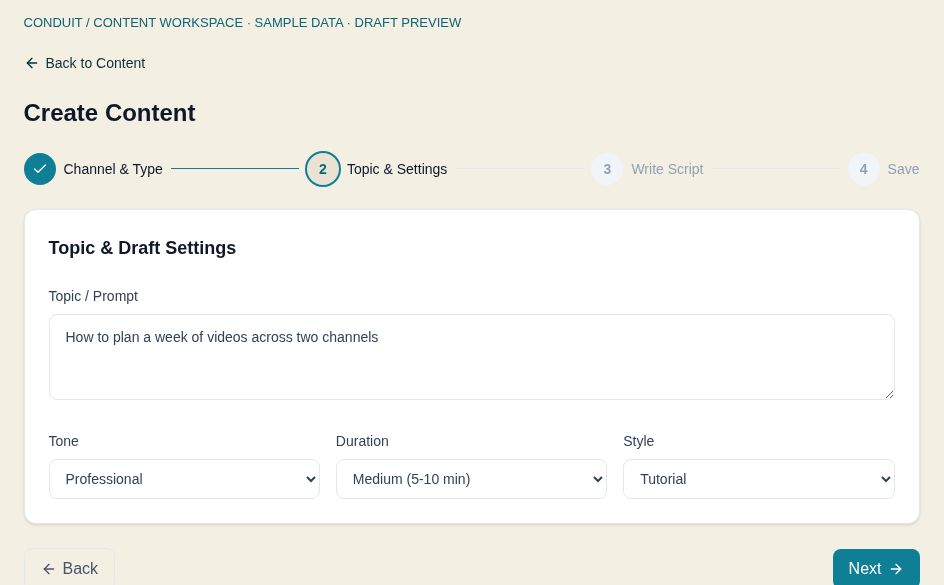
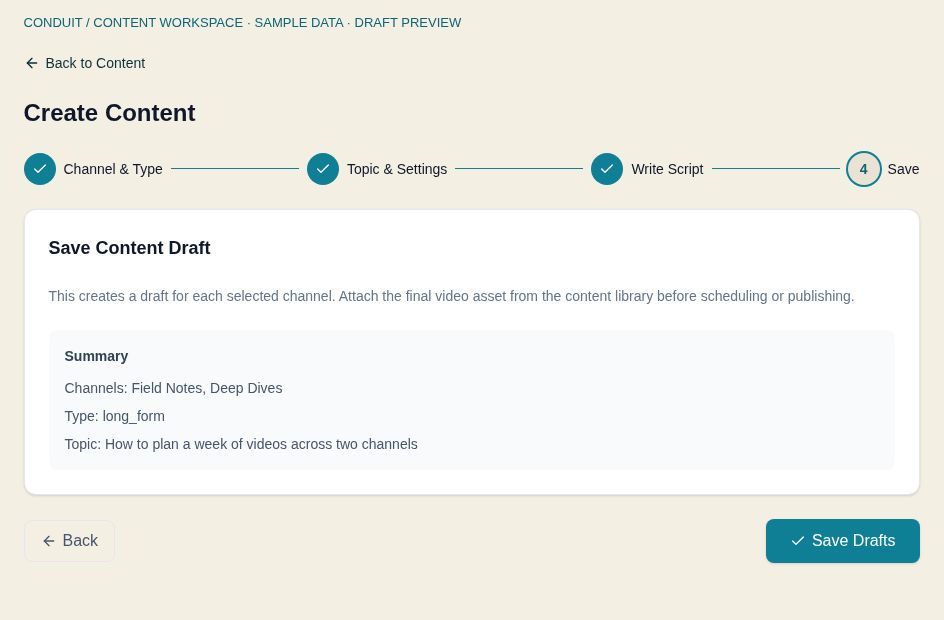
Keep each channel's audience, metadata, timing, and access distinct while recommendations, drafts, and approvals stay connected in one workspace.
Bring my portfolio togetherKeep source assets and content drafts together, then tailor titles, descriptions, and release settings for each audience.
Inspect recommendation reasons and proposed actions. Review a reply before sending or a release before publishing.
Bring channel and content performance into one view. Available data depends on connected channels and completed imports.
Inspect the signals and reasoning behind a suggested action
Treat estimated upside as guidance, not a promised result
Check the destination and channel-specific packaging
Approve a release or reply explicitly before it is sent
Example only. Recommendation scores are guidance, not a probability of success.
Start with the plan that covers the channels you actively manage. Monthly prices are shown below. Your 14-day trial begins at account creation. A card is required; review monthly or annual billing before Stripe checkout.
For an operator whose channel-switching and repeated setup have become a real weekly cost.
$97 / month
For active portfolios and small teams that need a repeatable operating system across channels.
$199 / month
For studios and larger portfolios that need more channel capacity and workspace control.
$299 / month
AI writing—including comment replies, titles, descriptions, tags, and outlines—is included. Image and video generation packs are not currently available.
Know what Conduit asks for, what Stripe handles, and how YouTube access works before you create an account.
Use your work email and a password, then confirm your email. Your 14-day trial starts when the account is created.
Review your plan, billing interval, and remaining trial before continuing to Stripe. Stripe shows your charge and billing date before you confirm.
Authorize YouTube through Google OAuth. Conduit never asks for a channel password, and each channel keeps its own identity.
Operators and teams responsible for multiple YouTube channels. Choose Starter for up to 5 channels, Growth for up to 10, or Scale for up to 100.
The 14-day trial starts when you create your account. Stripe collects a payment method at checkout and shows the amount and billing date before you confirm. If you start checkout with less than 48 hours of your trial remaining, paid billing begins immediately.
Yes. Annual billing is $970 for Starter, $1,990 for Growth, or $2,990 for Scale, charged once a year. Choose monthly or annual billing when you review your plan before Stripe checkout.
No. A content draft is preparation. A release needs a video asset, a connected channel, channel-specific settings, and an explicit publishing or scheduling action. The preview above ends before those steps.
Connect your own channel and try the workflow you depend on. Publishing and analytics depend on channel permissions and service availability. The sample screens are not evidence of a completed live release or a guaranteed performance result.
No. Connect each channel through Google authorization. Review the permissions Google presents and only connect channels you are authorized to manage.
You manually sync YouTube comments in the comment inbox. AI writing, including metadata and reply drafts, is included under fair use. Review reply drafts before approving them to send. Image and video generation packs are not currently available.
Open Billing in your account settings to access the Stripe billing portal. It supports plan changes and cancellation. Review the effective date and any charge shown by Stripe before confirming.
Bring the portfolio into one controlled operating flow.
Start your 14-day trial